 Simulation Software for fluids and solids
Nogrids pointsBlow – Release Notes
Highlights
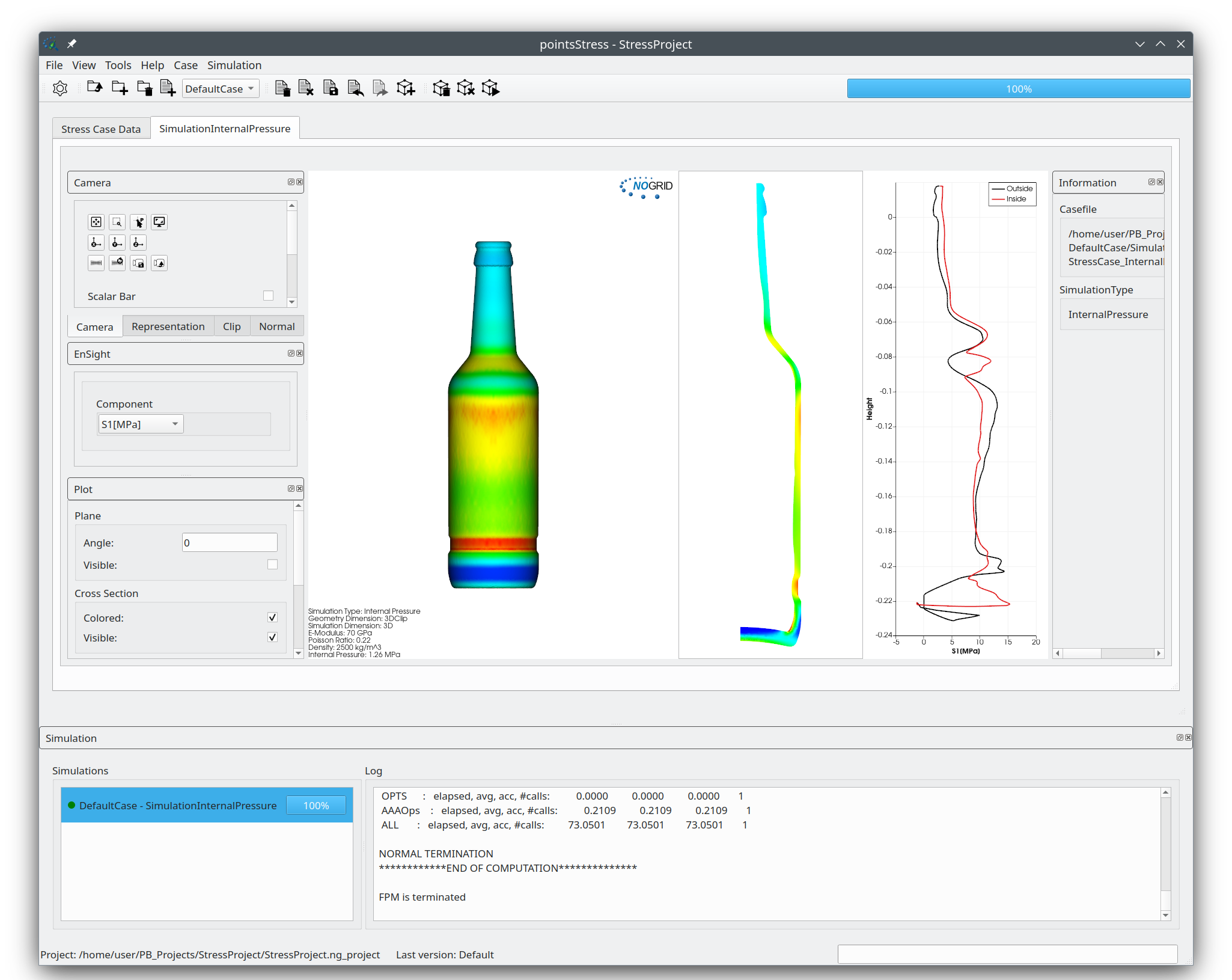
NOGRID pointsStress (New)
We introduce NOGRID pointsStress, a new standalone application that replaces the former Stress tab within NOGRID pointsBlow. It provides advanced stress analysis capabilities for both round and non-round containers and supports 2D, clipped 3D, and full 3D simulation modes for accurate evaluation under a wide range of loading conditions.
The application includes the following five stress test scenarios:
- Internal Pressure
- Head Load
- Pendulum Impact
- Drop Collision
- Filling Line Collision
Additionally, an integrated mesh visualization tool is available for detailed inspection of the simulation model and results. All features are accessible through a unified graphical user interface, enabling an efficient and consistent workflow throughout the entire analysis process.
Changes
| Type | Description |
|---|---|
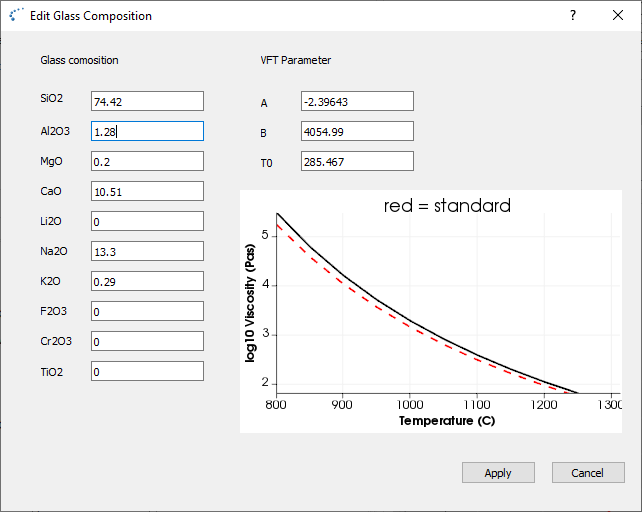
| New | If no measured data for the viscosity are available, the viscosity can now be computed from the glass composition.
 |
| New | The User can import a customized gob geometry via the STEP interface. |
| New | Movie creation is implemented now. The movie output format is mp4 and the screen shot from each time step is used as movie source. |
| New | New mold construction dialogs for the blank mold (stack cooling and vertiflow cooling) are implemented. |
| New | In addition to the relative cavity (cavity_volume - gob_volume) / gob_volume the overcapacity is shown now within the geometry tab window. |
| New | The final container shape can now be exported to a STEP file. The User can enable or disable the export within the preferences dialog. |
| New | Within the process page we've added the option to switch off the HEAD_CLOSE face together with the PLUG. If the "Head_Close to Plug" check box is enabled, the HEAD_CLOSE will be removed together with the PLUG at time Plunger Up OFF. |
| New | Final blow pressure profile now can be adapted by the User. The User can select a constant blow pressure profile, a linear radial profile, square radial profile and a cubic radial profile. |
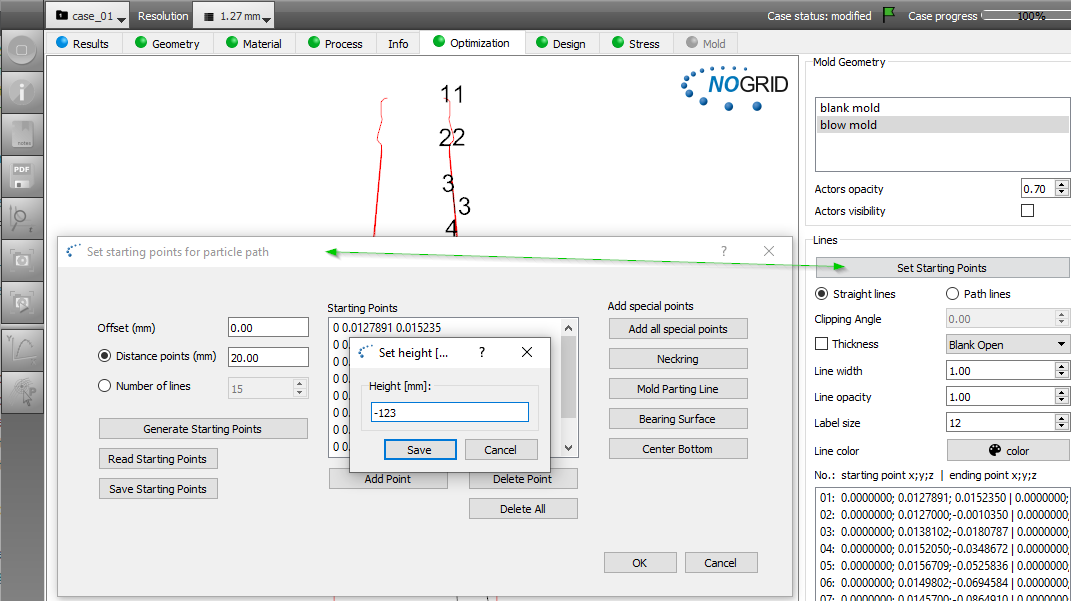
| New | Read / Save tracking points within the optimization page implemented. |
| New | Volume expansion coefficient added to the glass material properties. The coefficient is used for the computation of the glass shrinkage at the glass-metal interface if the Guloyan equation is used within a heat transfer coefficient. |
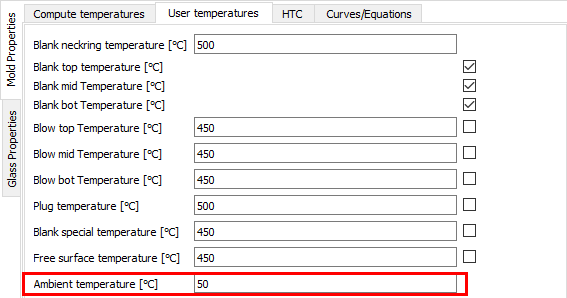
| New | Ambient temperature added to the User temperatures section (previously constant 30°C).
 |
| New | The User can define its own laws for the Heat Transfer Coefficient (HTC) as a function of time, pressure, height, thickness or temperature. Implemented: Guloyan law.
.png) |
| New | The mass conservation is improved by using a new method which controls and corrects the mass locally. |
| New | Steep viscosity gradients results in a bad numerical convergence. Implemented an improved viscosity smoothing method. |
| New | In order to improve accuracy we've increased the finite point density at the boundary for all resolutions by the factor of 2. For the Hybrid-P1 model the viscosity correction is set to zero (Stiffness glass viscosity = 0). |
| New | We've added a new process for tableware process (press blow special). No invert is invoked but the blank mold is split into two parts, so narrow neck containers can be computed. |
| New | If the computation is finished the PDF report is generated automatically. |
| New | For the Optimization page the User can insert individual tracking points for the tracking path now.
 |
| Fixed | In case a density curve is given (density depends on the temperature) the HP-P1 model did not work together with metal molds. In addition the curve edit dialog did not work correctly (if point data from the curve were selected, the edit box was not updated). |
| Fixed | In cases the counter blow forming is very fast (due to incorrect high viscosity data) the inner free surface of the parison can flow back to the neck. Gravity is switched off during counter blow (previously already set to zero at time "Baffle on Blank ON"). |
| Fixed | Within the Optimization page PF_SPEC was added to the blank mold faces in order to consider PF_SPEC faces for point path tracking. |
| Fixed | For the process "press blow tableware" the INVERT timing was still used in some cases. One timing curve was not in the correct timing order and computing stopped. |
| Fixed | In case a new project is created the default glass type can be selected in the glass tab of the preferences. |
| Fixed | The heat transfer coefficient for the blow mold was not set correctly if an equation or a curve was used. |
| Fixed | If the file format for the measured thickness data is not as expected the software crashes. Now the software checks if the format is correct. |
| Fixed | PLUG profile enhanced (PLUG geometries with a middle dip did not work). |
| Fixed | The points density resolution and therefore the computation time was too high for some cases due to a bug in the code. |
| Fixed | In case the of 3D-Clip the app crashes by activating the xy plot. |
| Fixed | We've changed the xy plot line colors (green colored line was sometimes difficult to see). |
| Fixed | The HEAD_CLOSE face is now synchronized with the PLUG face, which means that if the PLUG is removed the HEAD_CLOSE is removed as well. |
| Fixed | The clients fail receiving a valid license from the Licenses Manager (LM) if due to different time zones the client date is different from the LM date. |
| Fixed | The solver did not save the final glass contour mesh and therefore the app crashed if the stress computation was launched. |
| Fixed | - computation exit number was not set, in case of unexpected computation exit no GUI message was shown. - sync time added for plug off - HTC from shrinkage implemented |
| Fixed |
|